My Role
UX/UI Designer (Intern)
Timeline
6 October 2025 - 4 November 2025
Team
Solo Designer
Sector
Software Services
Capstone project for
EVATOZ SOLUTIONS PRIVATE LIMITED
Challenge
FleetA2Z is a comprehensive management application that facilitates vehicle tracking, task dispatch, and fleet administration for large-scale operations. While functionally robust, the existing application suffered from fragmented workflows and inconsistent visual hierarchy that made frequent interactions cumbersome.
The interface lacked a clear structure — key actions were buried under dense layouts, iconography was inconsistent, and navigation patterns were not aligned with user priorities. These issues created friction in daily use, especially for drivers and managers who needed to act quickly on mobile devices.
The goal of the redesign was to establish a more intuitive and visually coherent experience — one that simplifies task execution, enhances clarity through hierarchy, and aligns with modern usability and accessibility standards.
Before Redesign


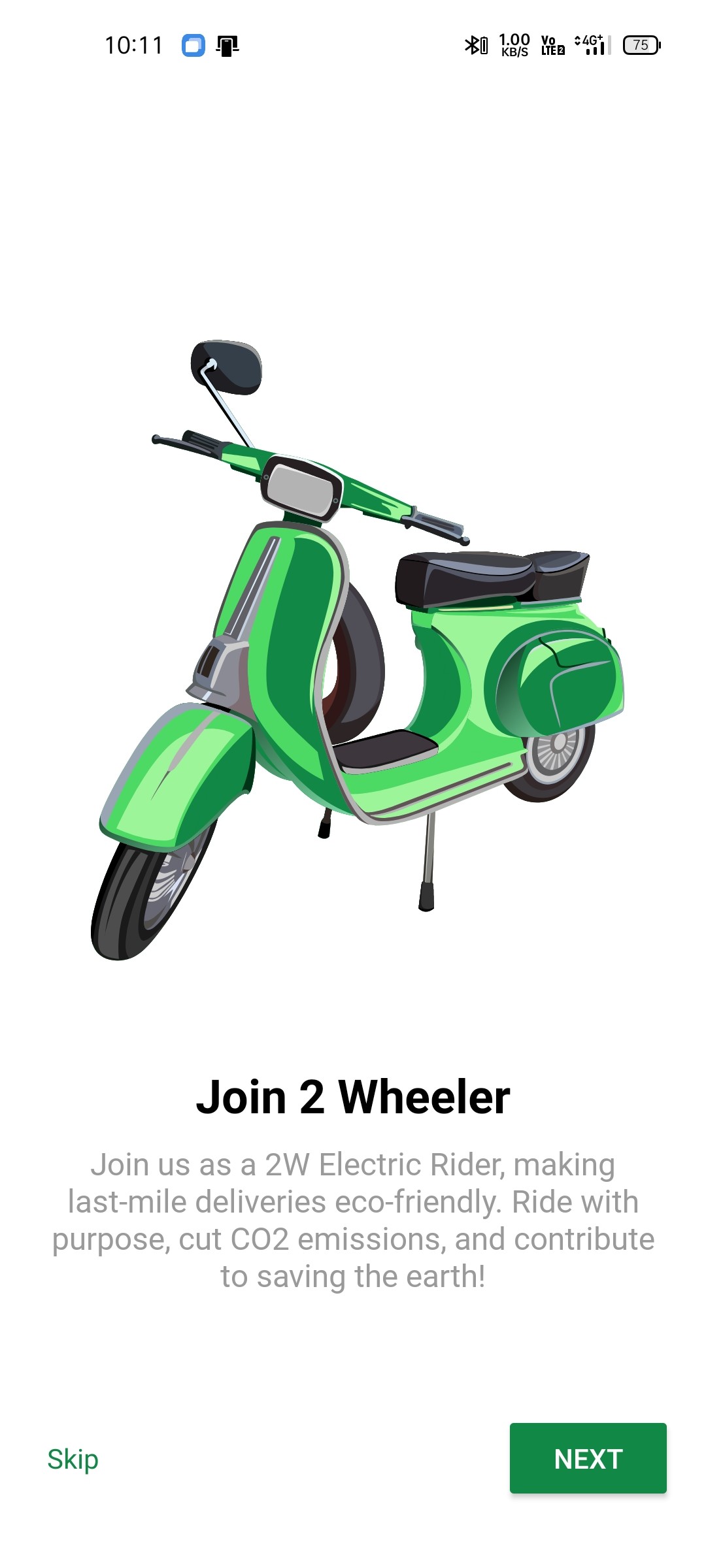
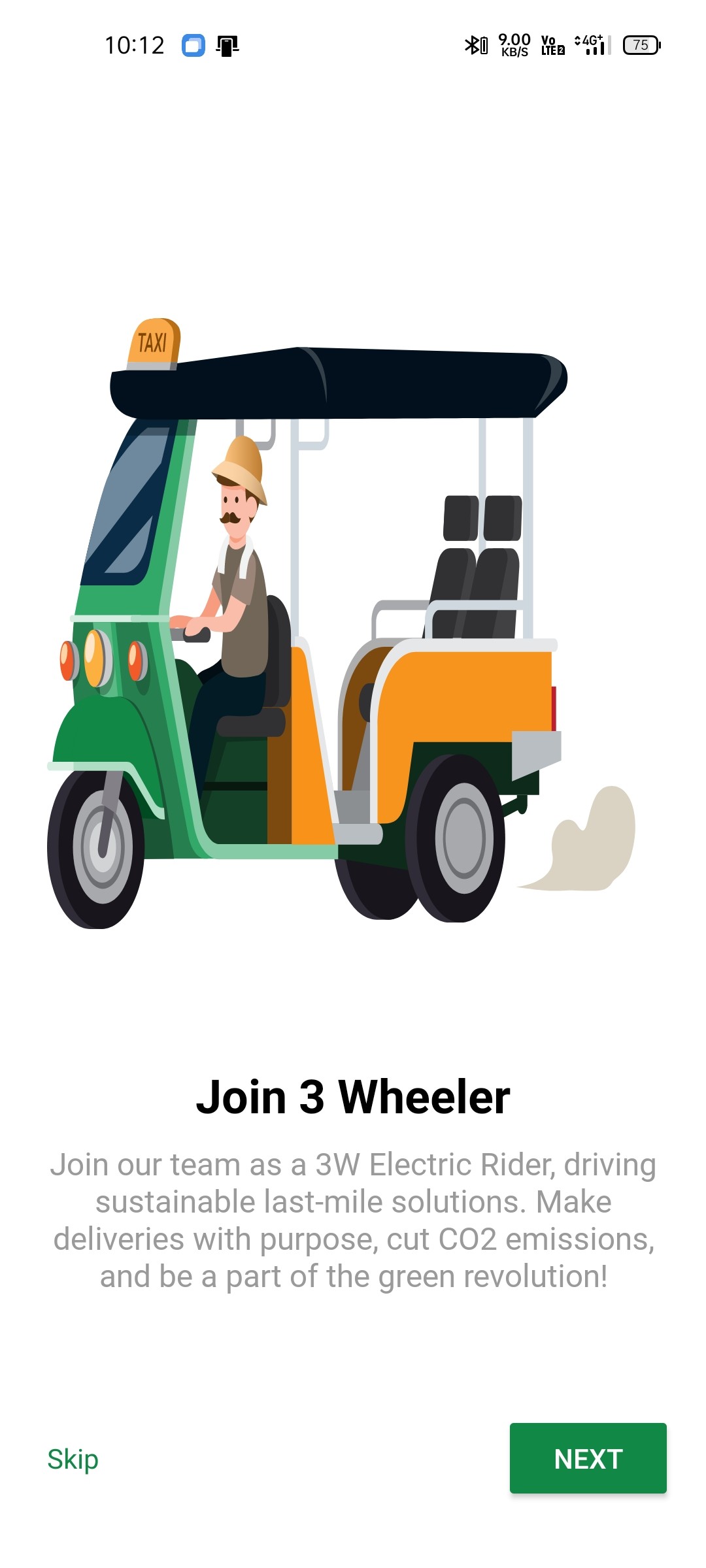
Splash & Onboarding
(Screens: Splash + onboarding sequence)
The onboarding experience introduced the app’s features, but lacked clarity in flow and visual balance. Illustrations dominated the layout, leaving less space for messaging, and users had no clear sense of progress through the onboarding journey.
Issues observed:
Limited contrast between primary and secondary actions (e.g., Skip vs. Next).
Missing progress indicators — unclear sense of completion.
Uneven visual balance between illustration and text.
Weak messaging hierarchy — feature descriptions not easily scannable.


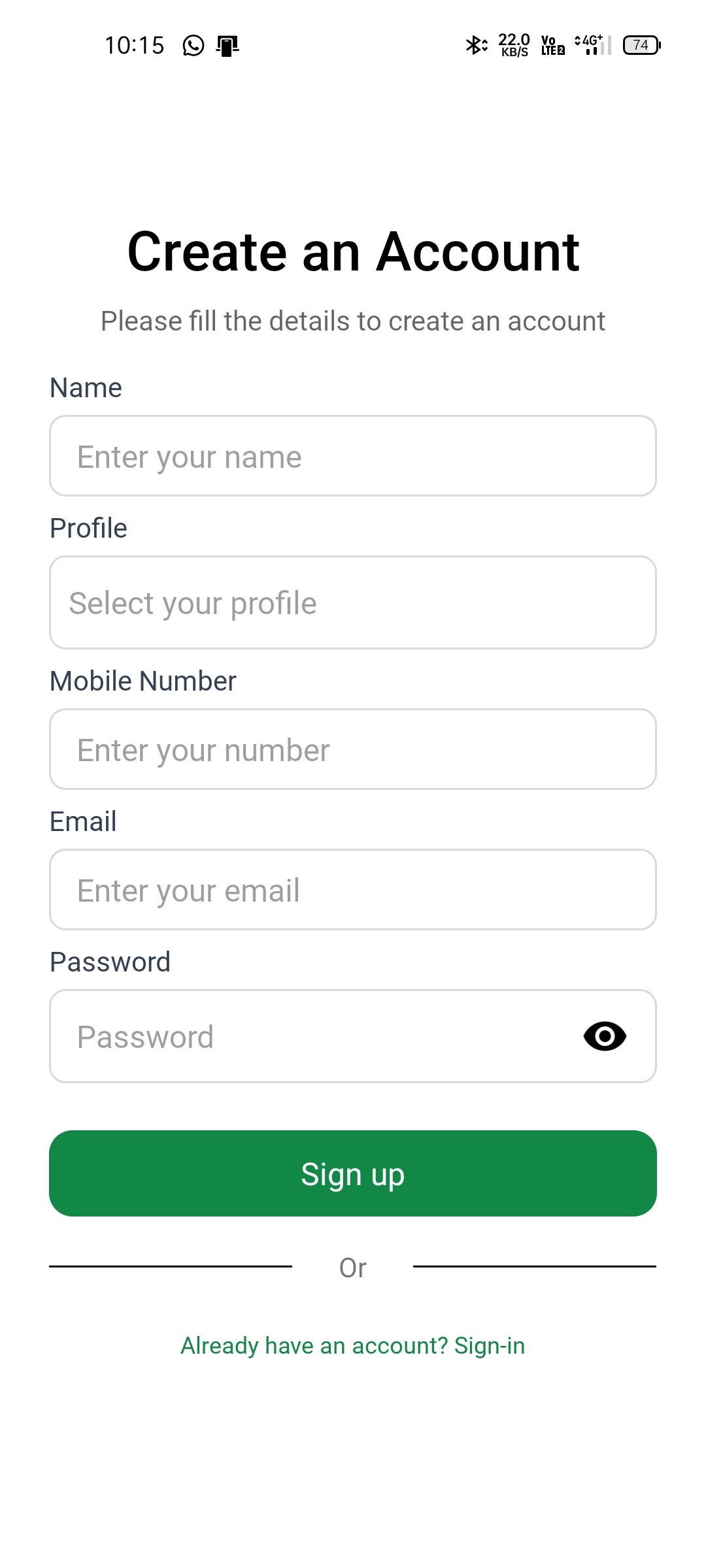
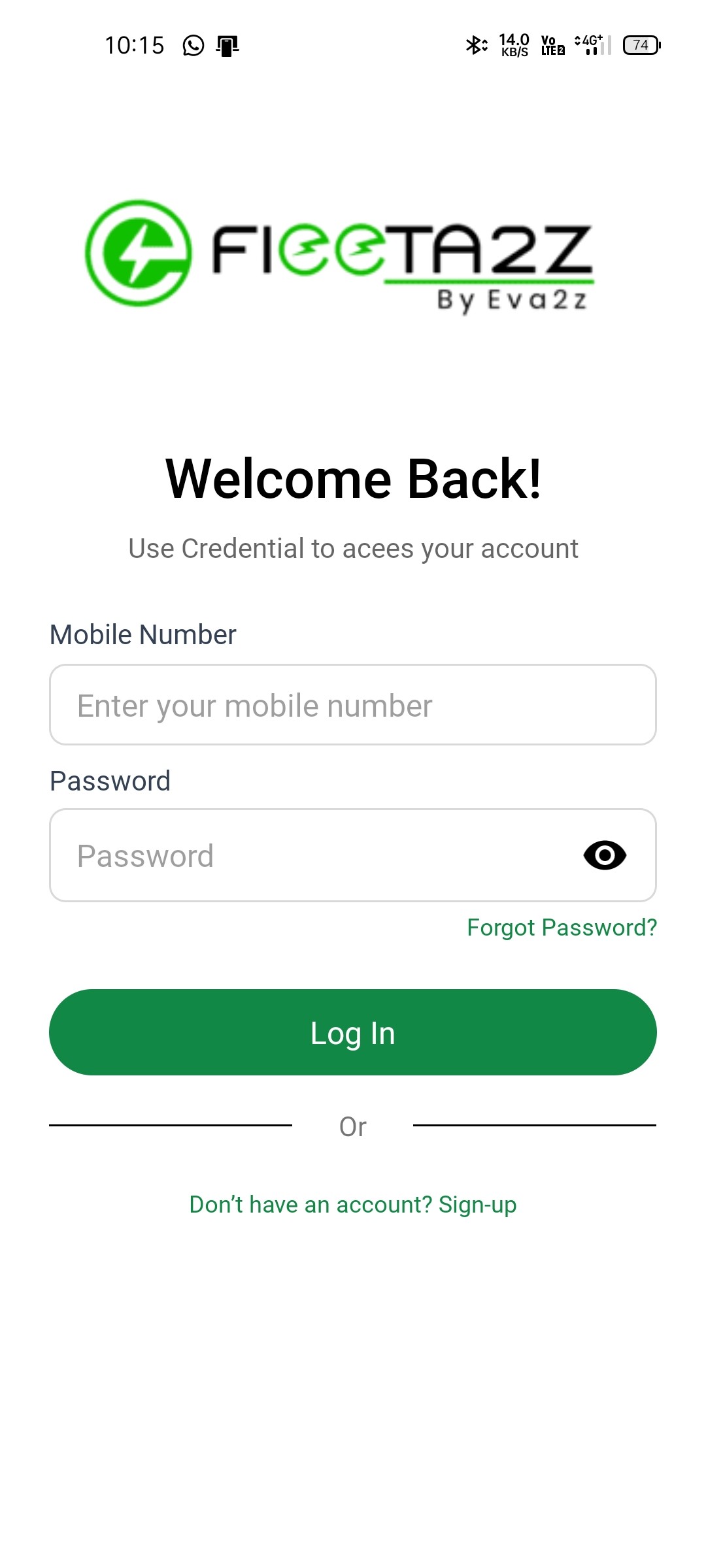
Authentication Flow
(Screens: Sign up, Login, OTP verification)
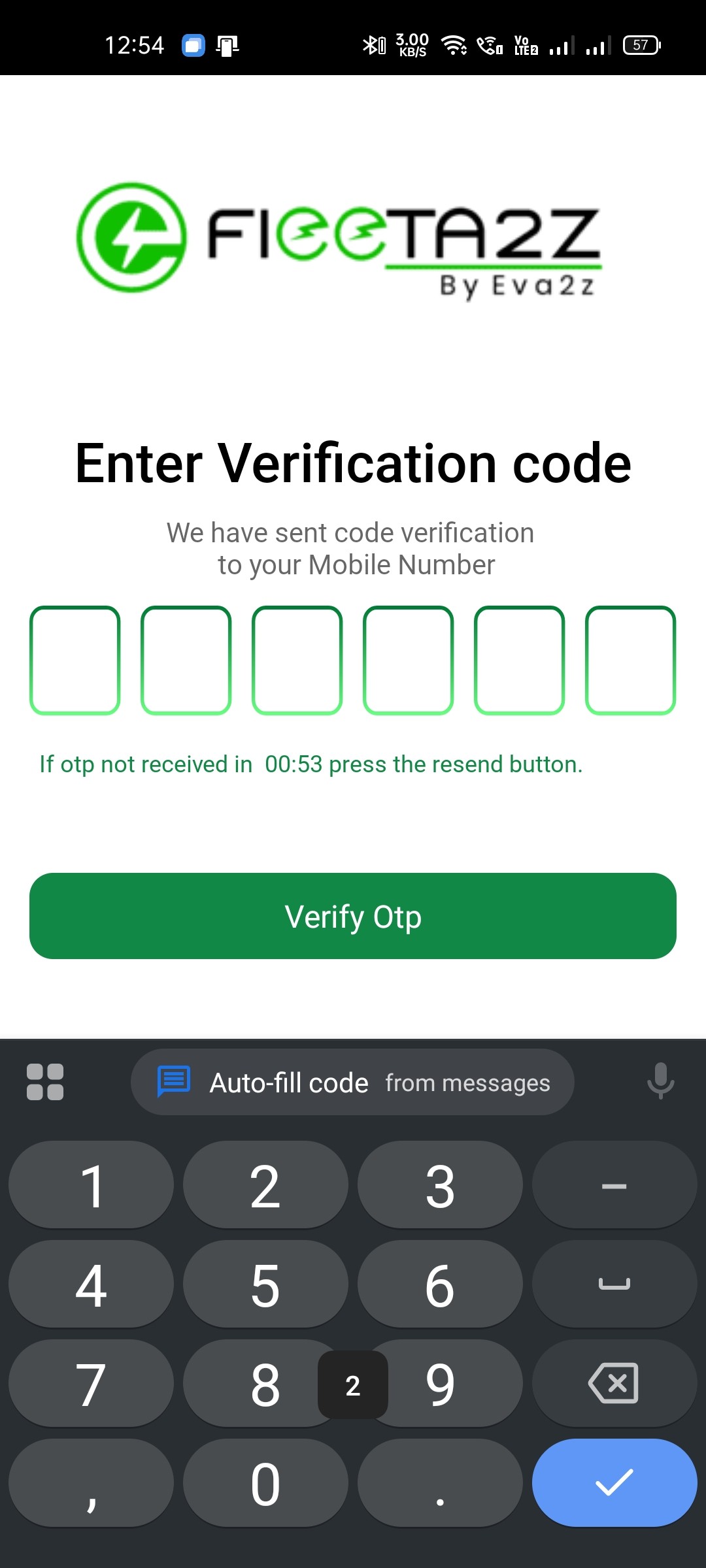
The authentication flow covered essential screens for account creation and sign-in, but lacked visual balance and consistency. Misaligned microcopy, inconsistent branding, and uneven color hierarchy made the experience feel less polished and reduced clarity during input-heavy interactions.
Issues observed:
Inconsistent logo placement and sizing across screens disrupted visual rhythm.
Minimal spacing between text fields affected overall readability and visual comfort.
Secondary actions and labels used similar colors as primary CTAs, reducing contrast and visual hierarchy.
Misaligned microcopy (e.g., hints and helper texts) created visual noise and confusion.
Unnecessary gradient styling on OTP fields drew attention away from the main task and broke consistency.


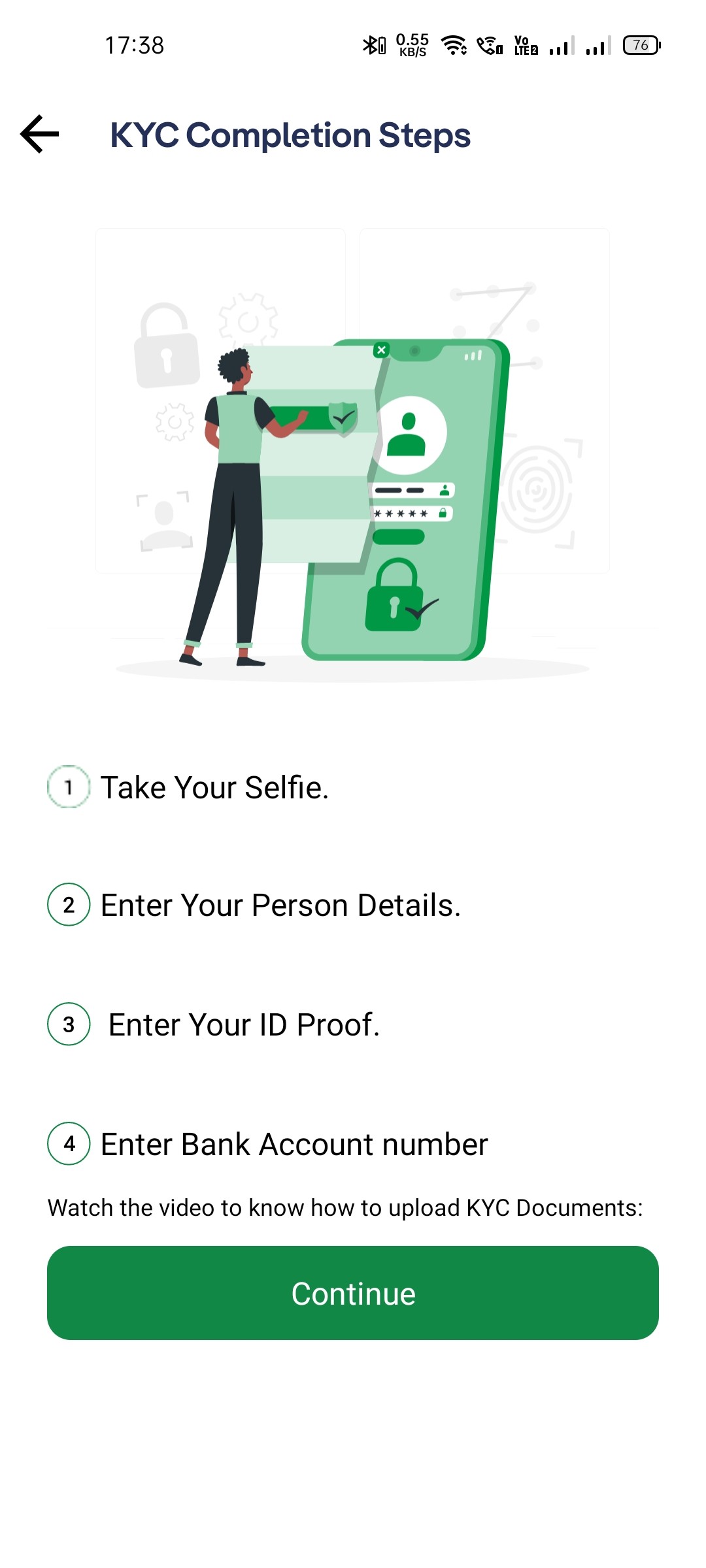
Vehicle Booking & KYC Flow
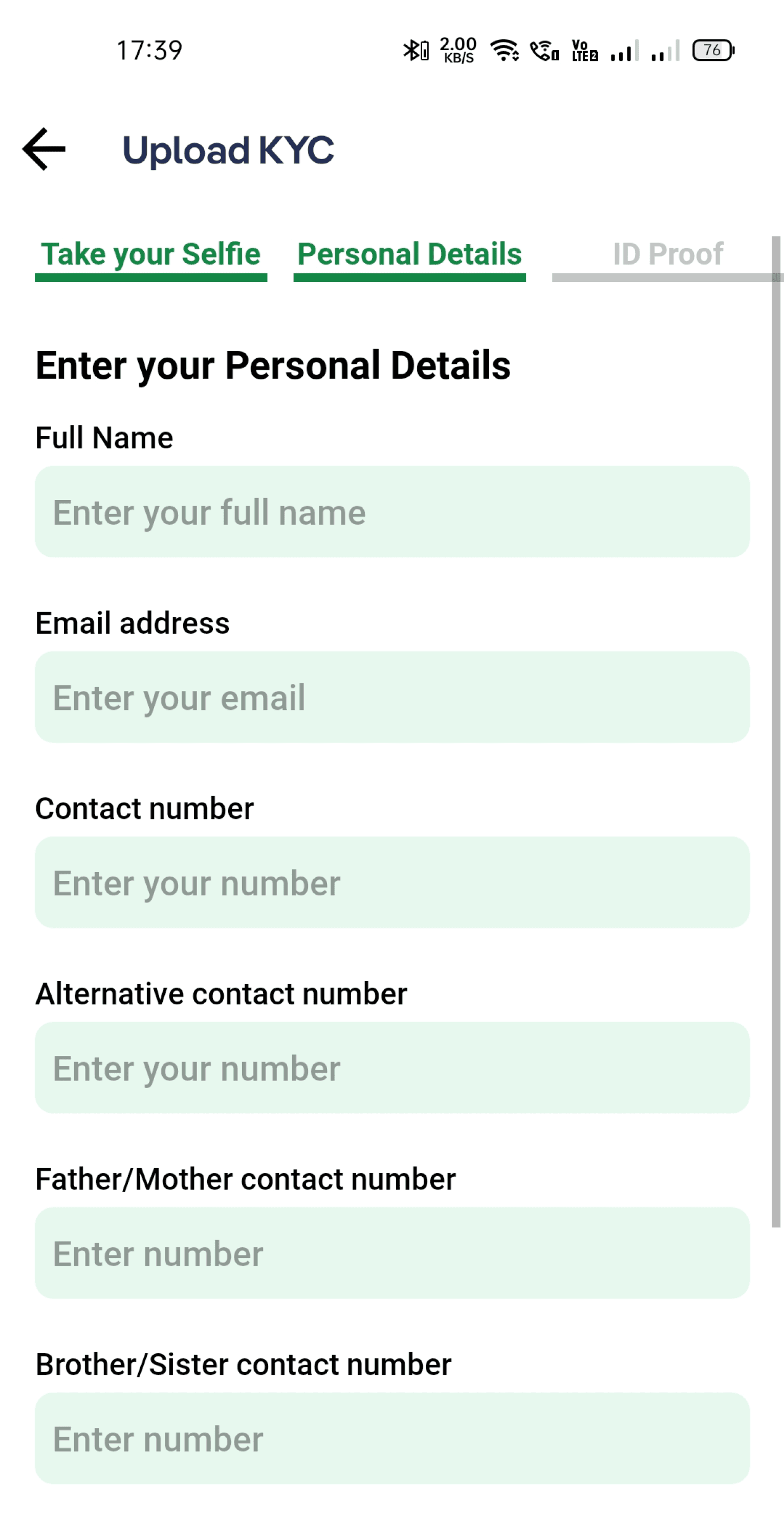
(Screens: Home, Vehicle Selection, Vehicle Details, KYC Form)
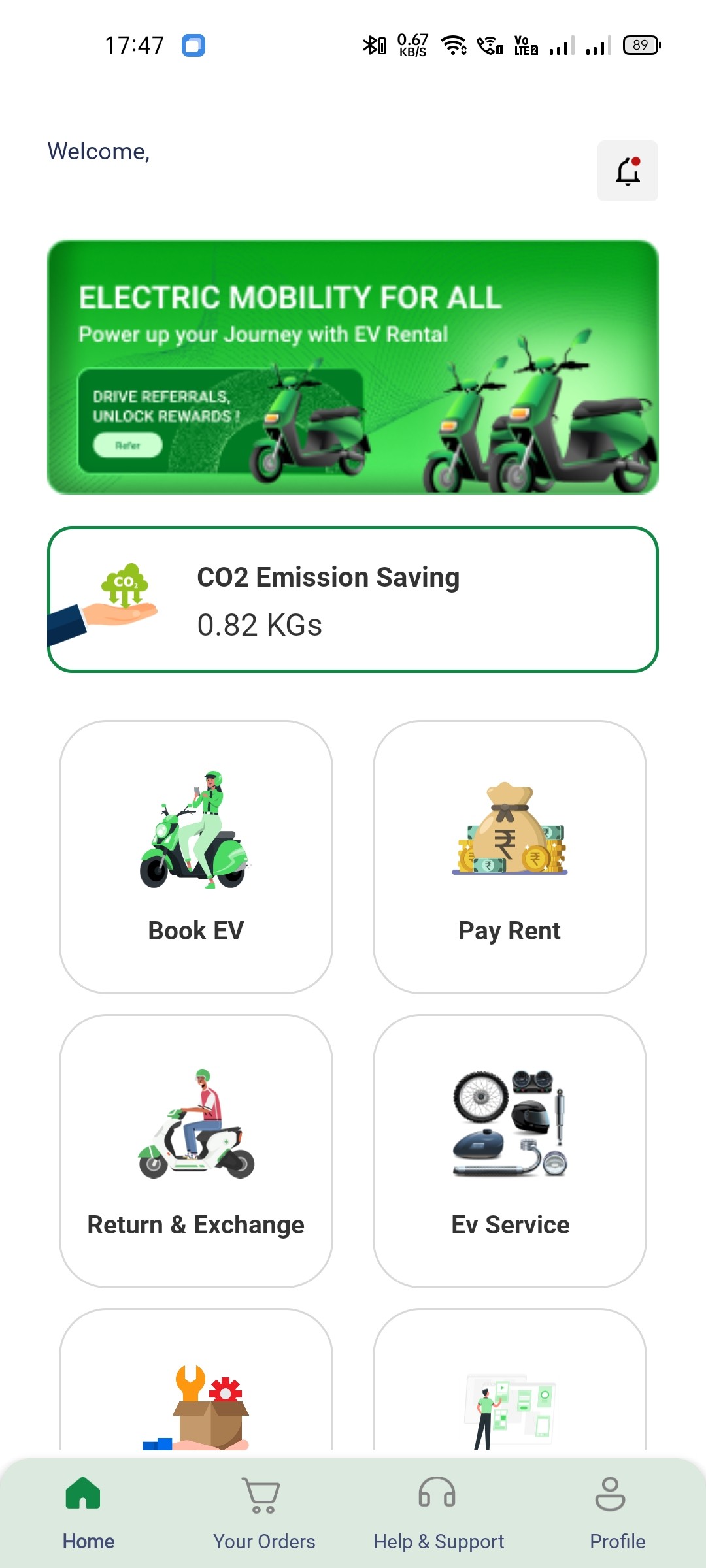
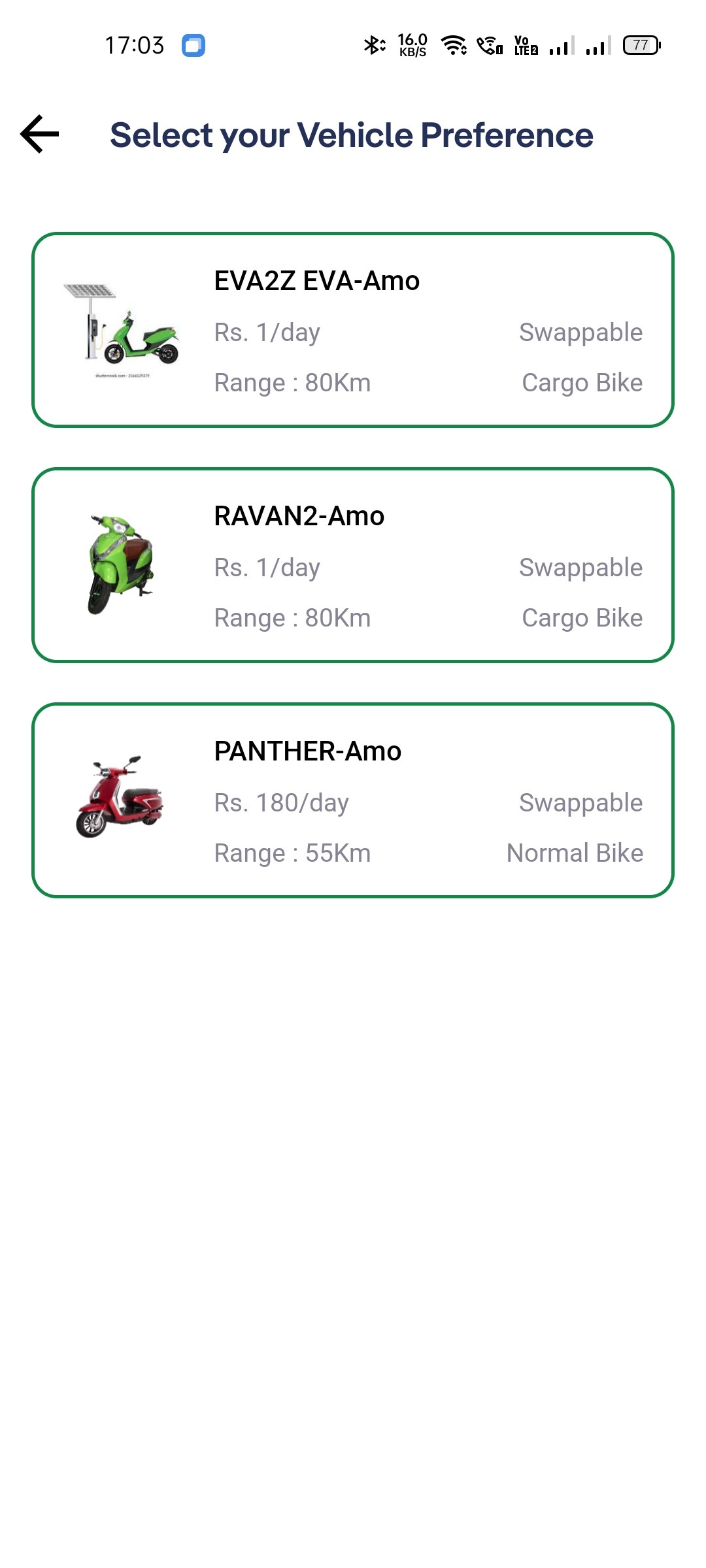
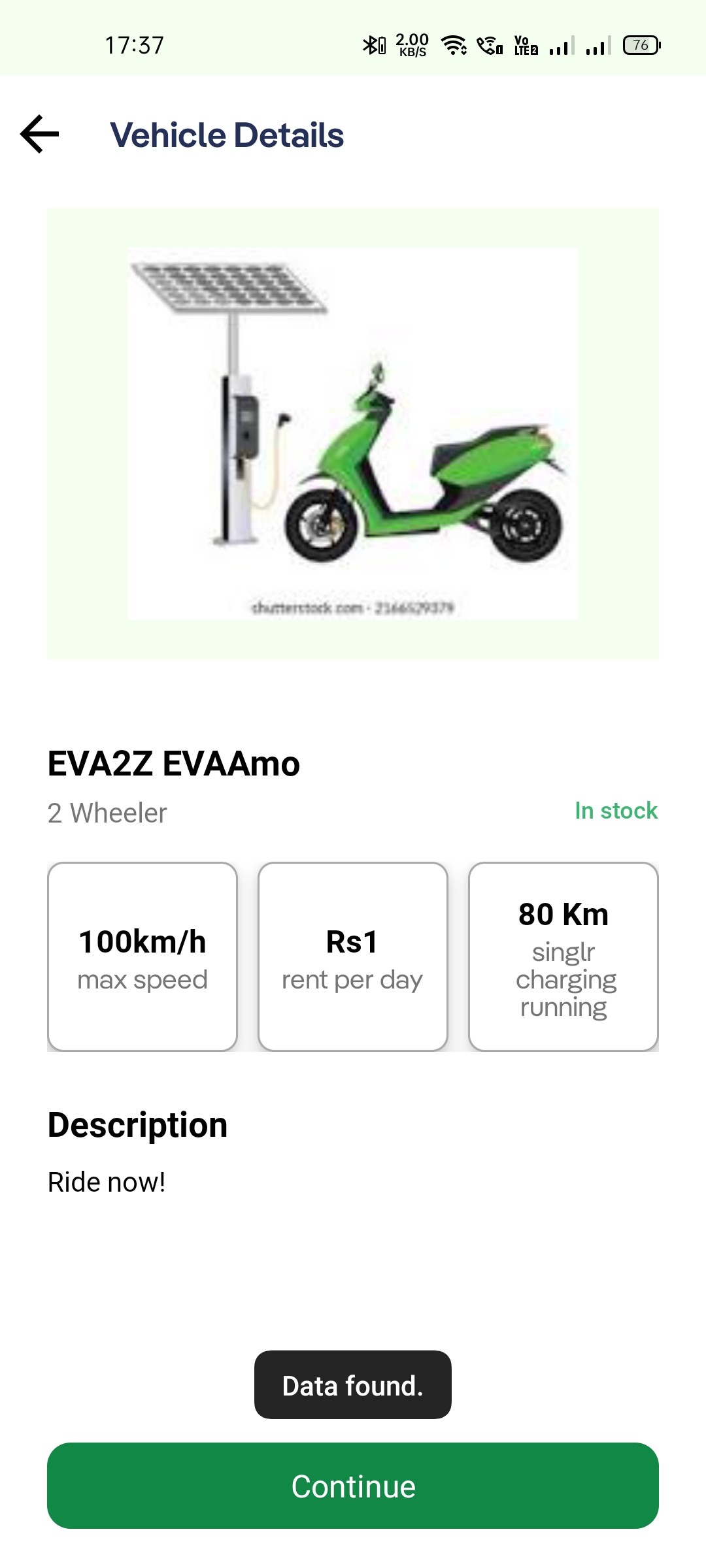
The vehicle booking and KYC process contained key tasks for users, but lacked structural clarity and visual balance. Inconsistent visual hierarchy, dense layouts, and excessive use of color increased cognitive load, making the flow feel overwhelming during task completion.
Issues observed:
Overuse of borders and uniform card styles reduced visual hierarchy and scannability.
No clear differentiation between primary and secondary actions, making it harder for users to focus on next steps.
Excessive use of the brand green throughout screens led to visual fatigue and reduced contrast.
The “Selected Vehicle” screen lacked clear descriptions or visual context for the vehicle.
Poor quality or unclear imagery weakened visual recognition.
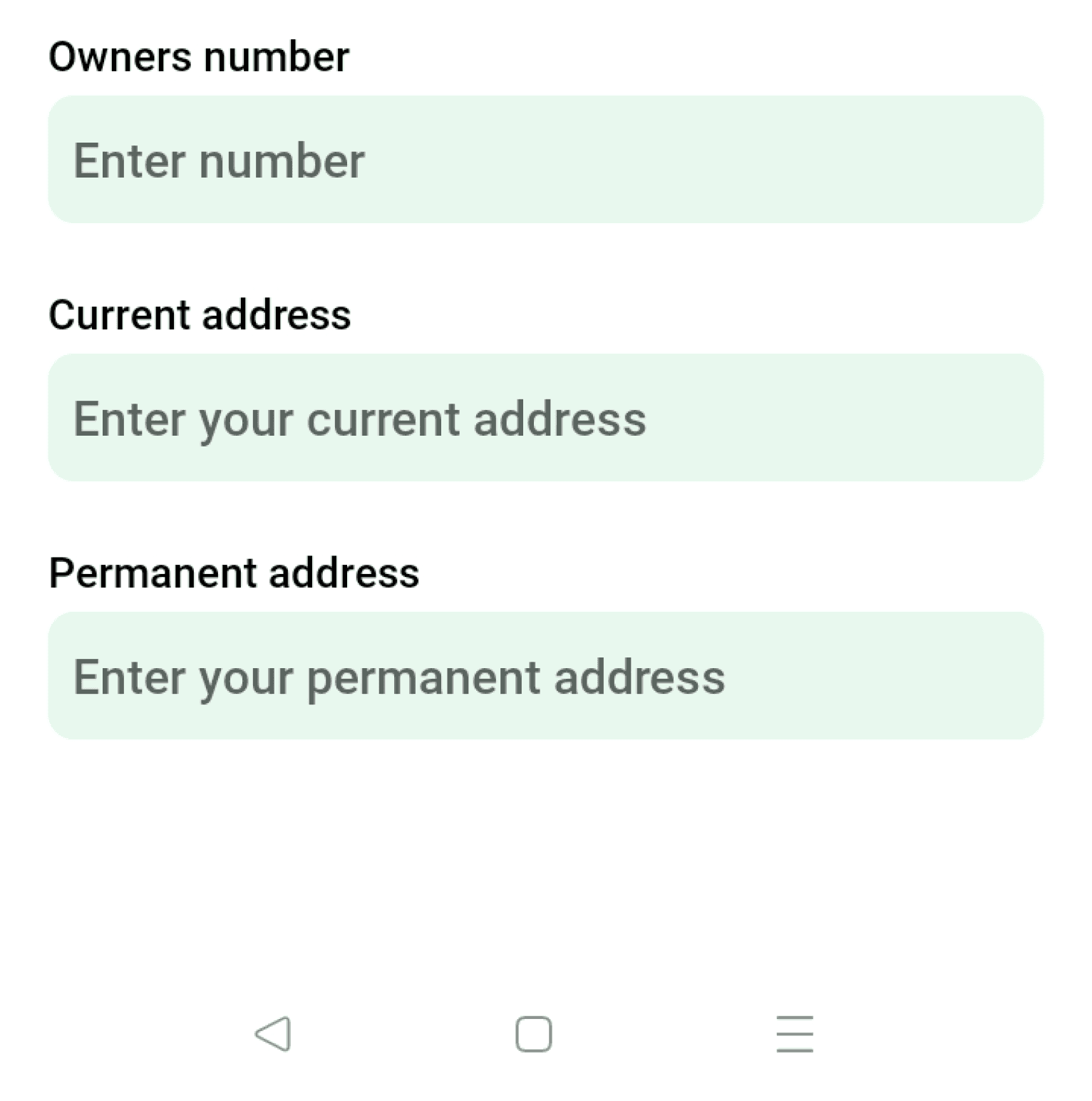
KYC form contained more than 10 text fields on a single screen, creating high cognitive load.
No visual grouping or step separation in the form — all information appeared in one long, undifferentiated block.
Inconsistent color use on text fields reduced readability and focus.
Solution
The redesign focused on establishing a clear visual and structural foundation that improved usability, reinforced brand coherence, and created space for scalability. The process began with building a comprehensive design system that introduced order through consistent components, spacing, and hierarchy — forming the backbone for every redesigned screen.
1. Building the Design System
The first step was to eliminate inconsistency by creating a reusable, modular system grounded in principles of clarity and scalability.
Color system: Refined the palette to limit overuse of green and introduce neutral tones for better balance, contrast, and accessibility.
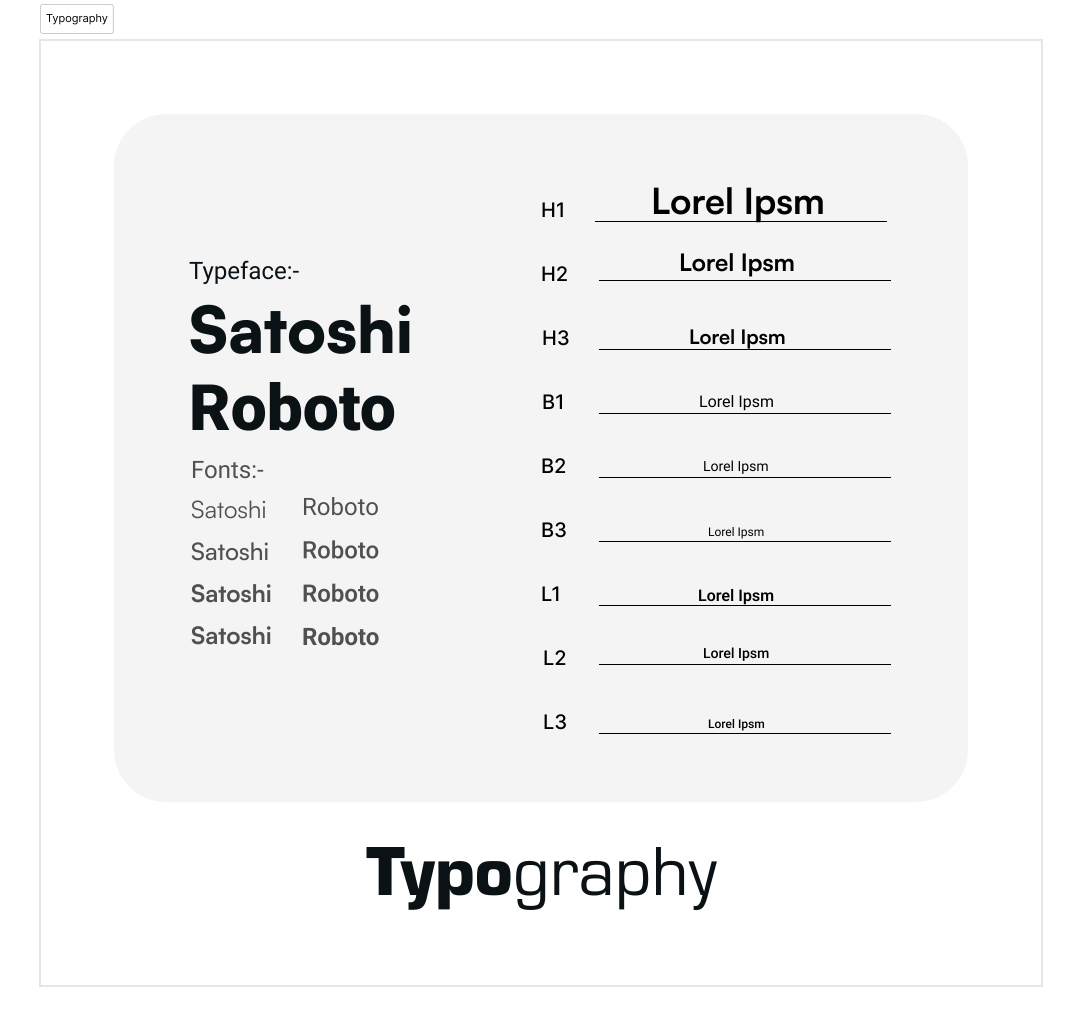
Typography: Established a clear typographic hierarchy with defined text styles for titles, labels, and body copy, improving readability and rhythm across screens.
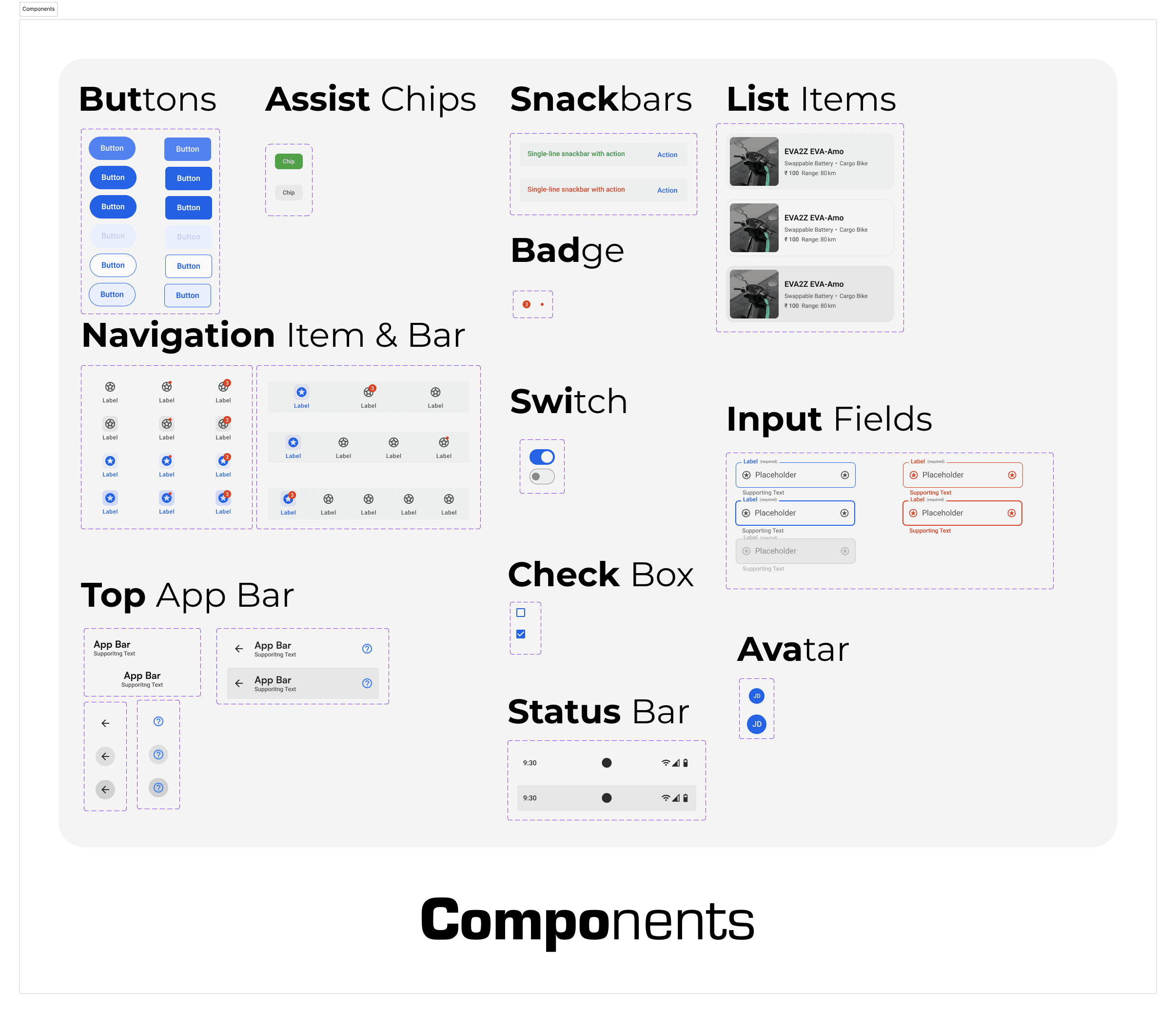
Components: Designed consistent UI patterns (buttons, text fields, cards, navigation elements) with defined spacing and behavior rules to maintain visual harmony.
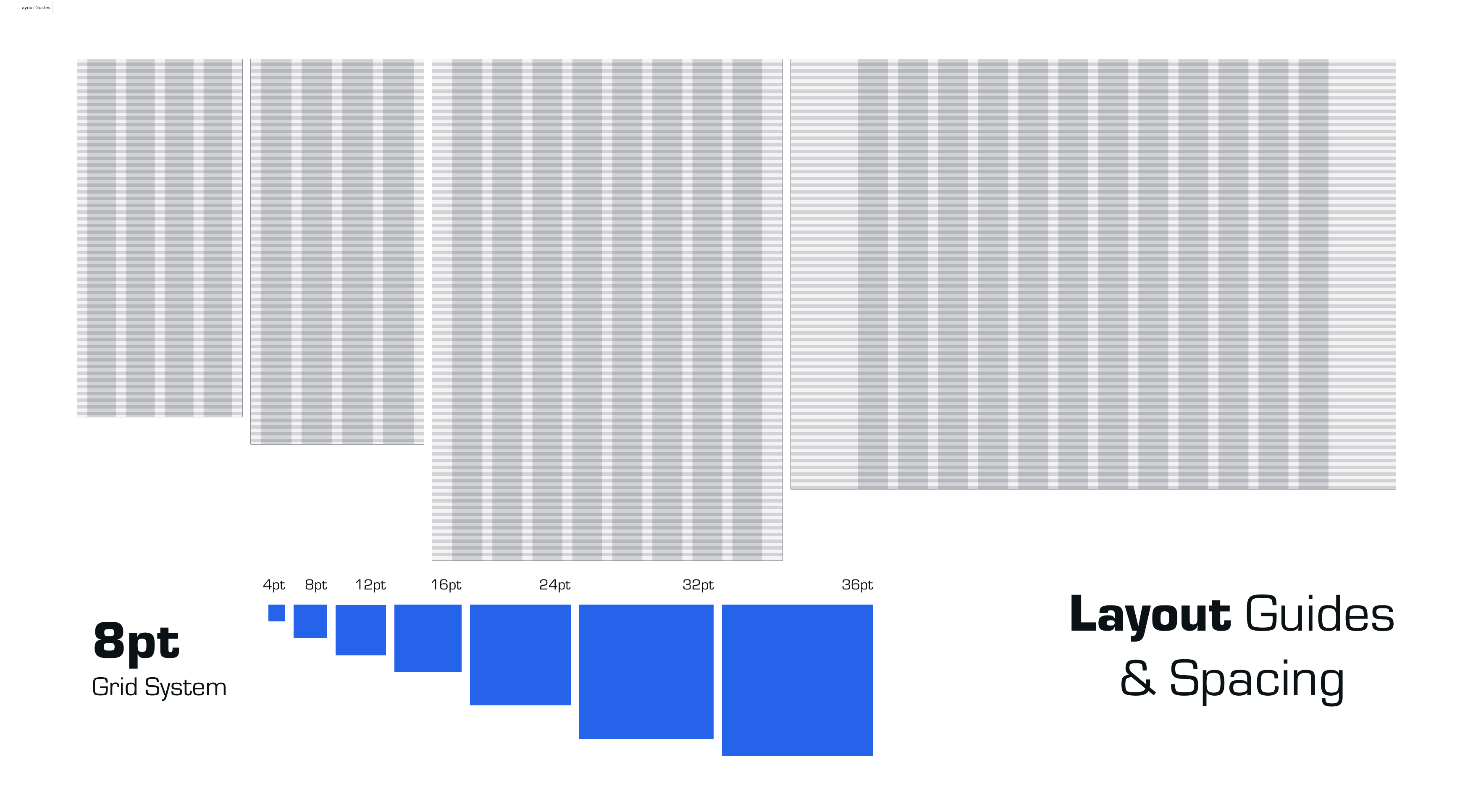
Grid and spacing: Introduced an 8-point spacing system to create alignment and uniform rhythm throughout the interface.
This system became the foundation for visual consistency, easier handoff, and scalable future updates.
2. Clearing Visual Clutter
Using Gestalt principles such as proximity, similarity, and alignment, I simplified the layouts to help users focus on key information.
Grouped related content visually, reducing the need for borders and redundant dividers.
Increased white space to allow for breathing room and better scannability.
Created clear focal points for primary actions and removed unnecessary decorative elements that distracted from usability.
Every screen was redesigned to guide the eye naturally — reducing noise and improving task completion speed.
3. Applying the “4C’s” — Clarity, Consistency, Contrast, and Composition
These principles guided every visual decision across the redesign:
Clarity: Simplified content and visual hierarchy to reduce cognitive load.
Consistency: Unified colors, typography, and components through the design system.
Contrast: Used color and spacing strategically to define importance and interaction states.
Composition: Created balanced layouts that draw attention to key actions without overwhelming the user.
The 4C’s framework ensured a balanced, intuitive interface that feels cohesive across every screen.
4. Enhancing Readability and Flow
Improved copy alignment and microcopy placement to reinforce hierarchy and reduce visual noise.
Introduced step indicators and clearer transitions in multi-step flows (onboarding, KYC) for better progress visibility.
Reduced information density by segmenting long forms into manageable sections.
Incorporated consistent iconography and improved imagery to strengthen recognition and visual context.
The new structure supports a more intuitive and efficient experience, particularly for mobile users performing frequent actions.
Outcome
The redesign transformed FleetA2Z from a visually dense and inconsistent app into a coherent, scalable product experience. The new design system ensured brand alignment, reduced cognitive load, and created a visual rhythm that supported faster decision-making and smoother user flows.
Design System
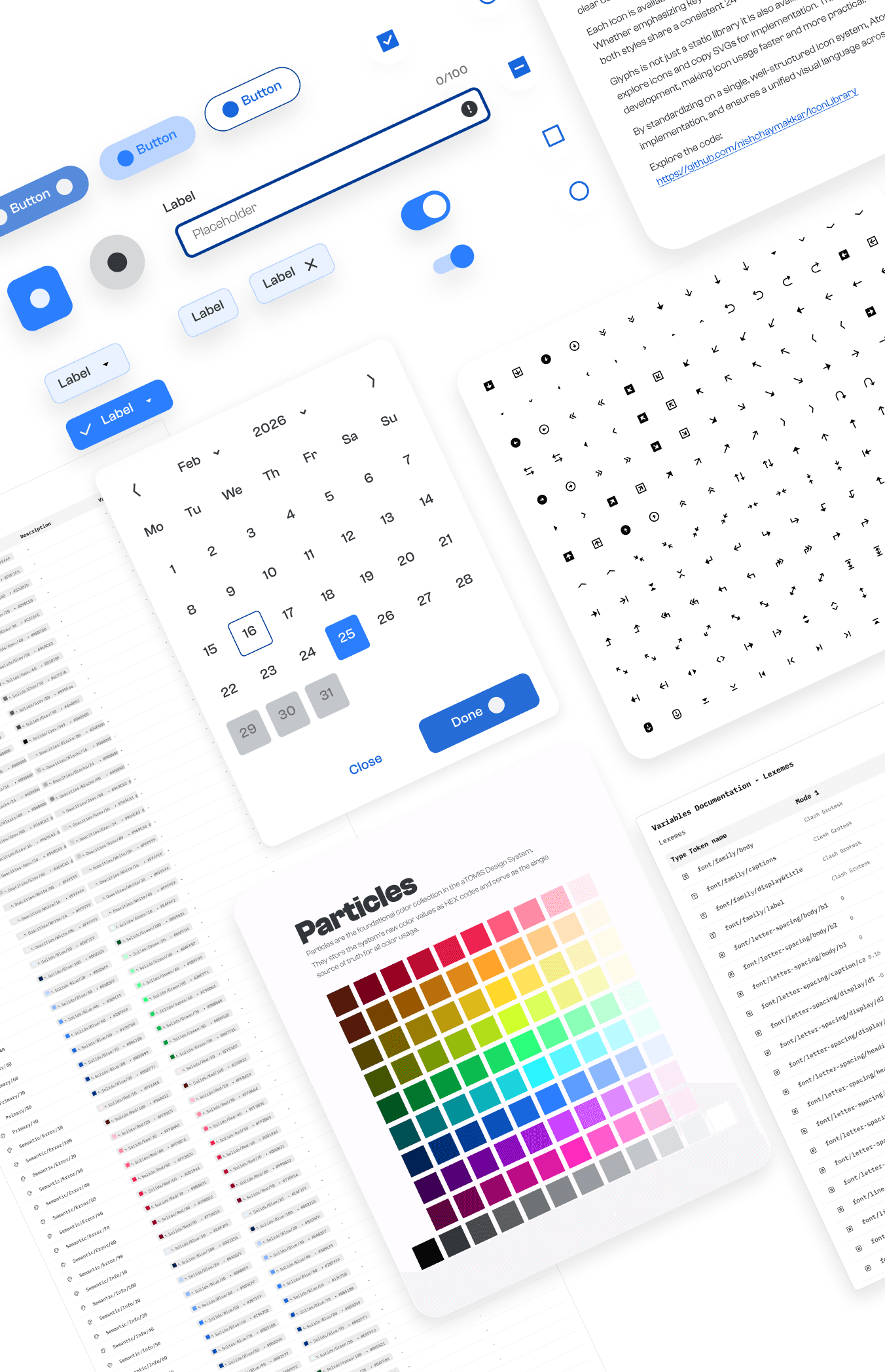
To resolve the inconsistencies across the app and enable scalable, cohesive design decisions, I built a complete design system for FleetA2Z.
The system defined every foundational element — color, type, grid, spacing, and components — to bring visual order and functional clarity across all screens.
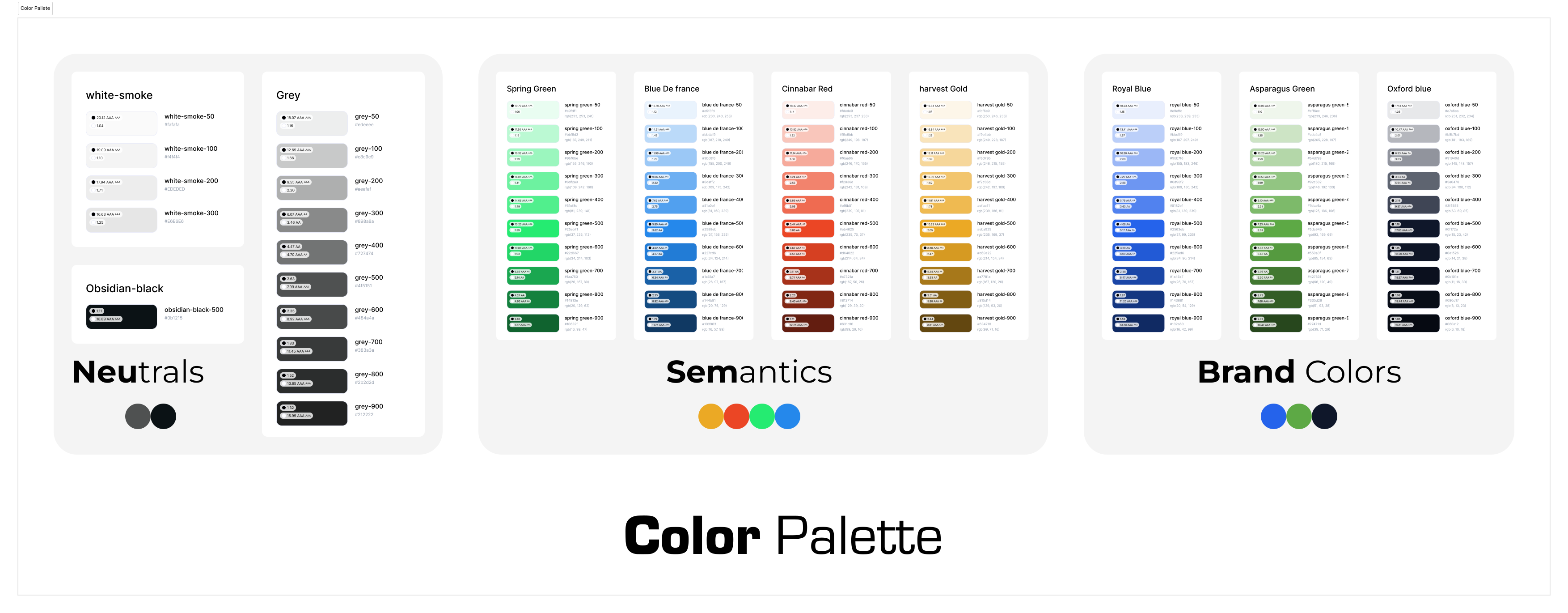
Color Palette
The earlier interface relied heavily on a single green tone, creating visual fatigue and weak hierarchy.
The new palette introduces three structured layers:
Brand colors: Refined core hues for primary actions and identity alignment.
Semantic colors: Distinct states for success, warning, and error for better feedback and accessibility.
Neutrals: A range of balanced grays and off-whites to support clarity and contrast.
This structure ensures contrast, accessibility, and consistency across all states and screen types.
Typography
The new typographic system uses Satoshi and Roboto for clear hierarchy and optimal legibility across devices.
Each level — from headings to captions — was defined with consistent spacing, weight, and scale to support quick scanning and readability.
Typography became the foundation for rhythm and structure — reducing visual noise and strengthening hierarchy.
Layout Guides & Spacing
An 8-point grid system was introduced to standardize spacing and layout rhythm.
Created responsive guides for Android, tablet, and desktop viewports.
Ensured consistent alignment across cards, forms, and navigation.
Improved white space distribution to enhance visual breathing room.
This unified spacing system improved alignment, predictability, and developer handoff.

Components & States
Reusable, modular components were designed with interaction states for consistency and scalability.
Included patterns:
Buttons (primary, secondary, disabled)
Input fields and validation states
Navigation bars, switches, chips, and list items
System feedback components like snackbars, badges, and status bars
Each component was designed to maintain consistency in behavior, spacing, and color hierarchy — ensuring a cohesive, intuitive experience across every interaction.
Outcome
The design system became more than a visual toolkit — it served as the single source of truth for design and development, enabling consistent decision-making, faster prototyping, and a scalable foundation for future product growth.
After Redesign
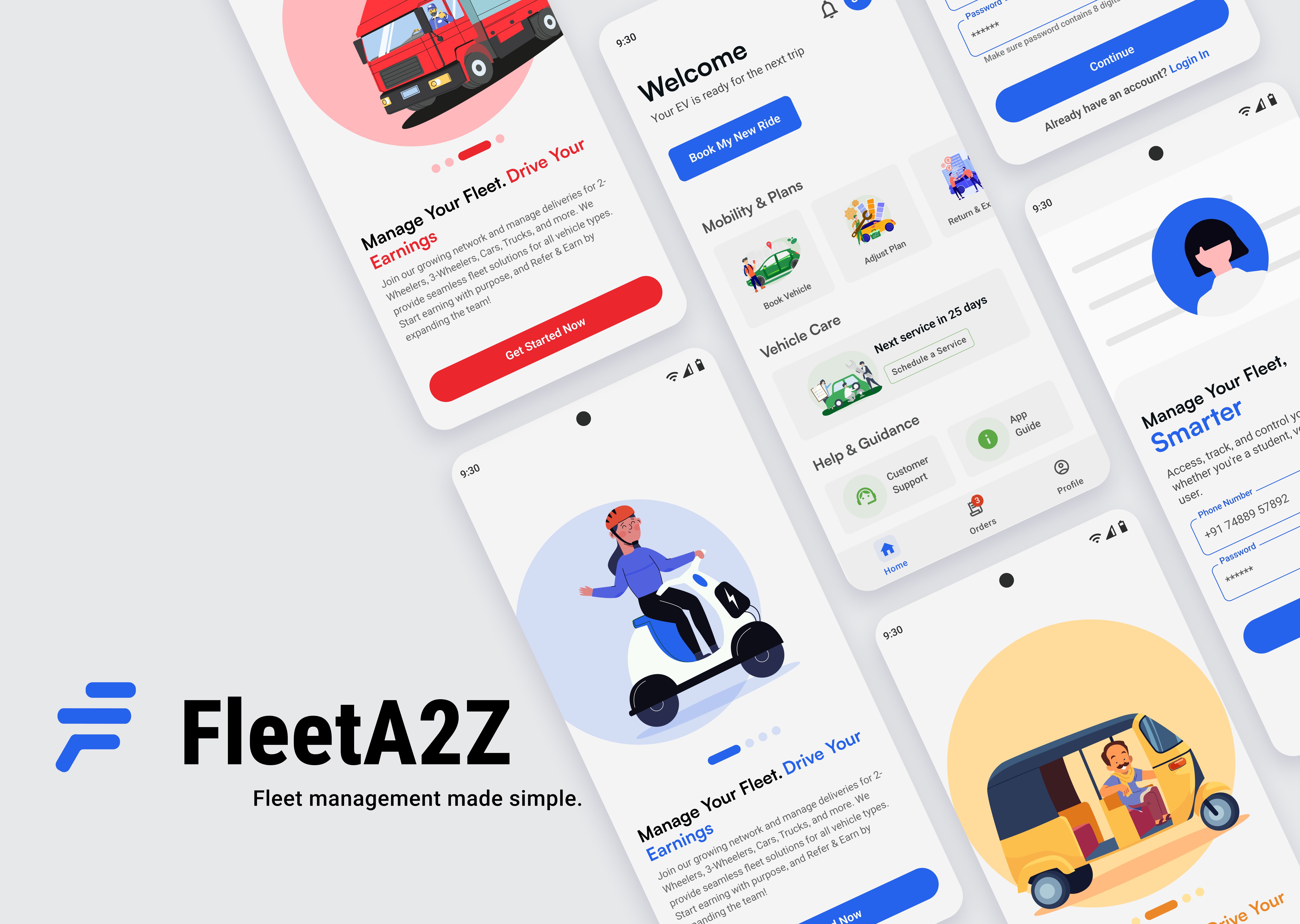
The redesigned FleetA2Z experience brings visual harmony, functional clarity, and flow consistency across all user journeys. Every screen was refined to reduce friction, strengthen hierarchy, and create a calm, focused interface for frequent mobile interactions.
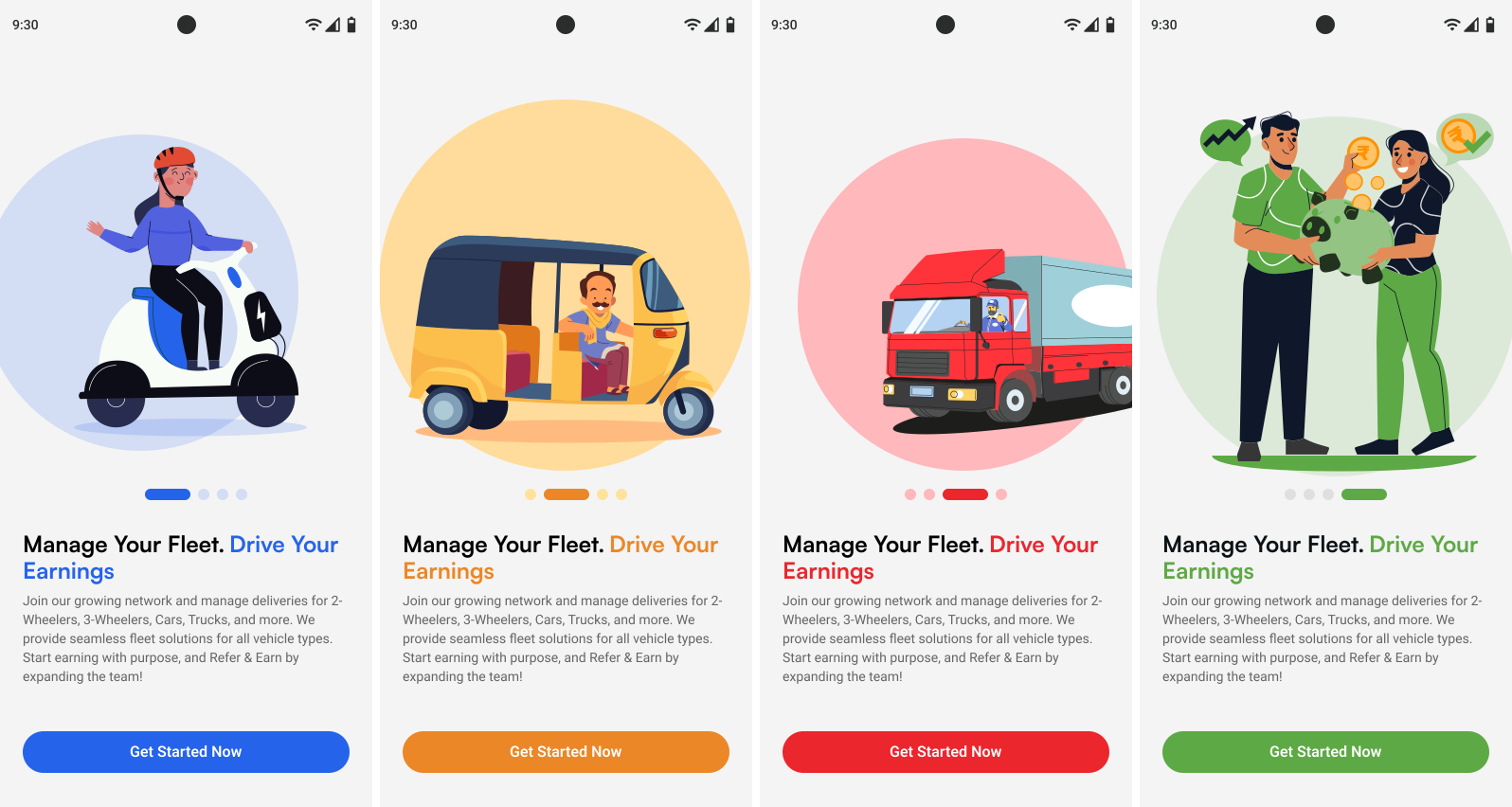
Onboarding Flow
(4-screen animated sequence)
A simplified onboarding journey with a single, clear CTA — “Get Started.”
The four screens animate seamlessly, giving users control to skim or engage. A subtle progress indicator guides orientation without demanding interaction.
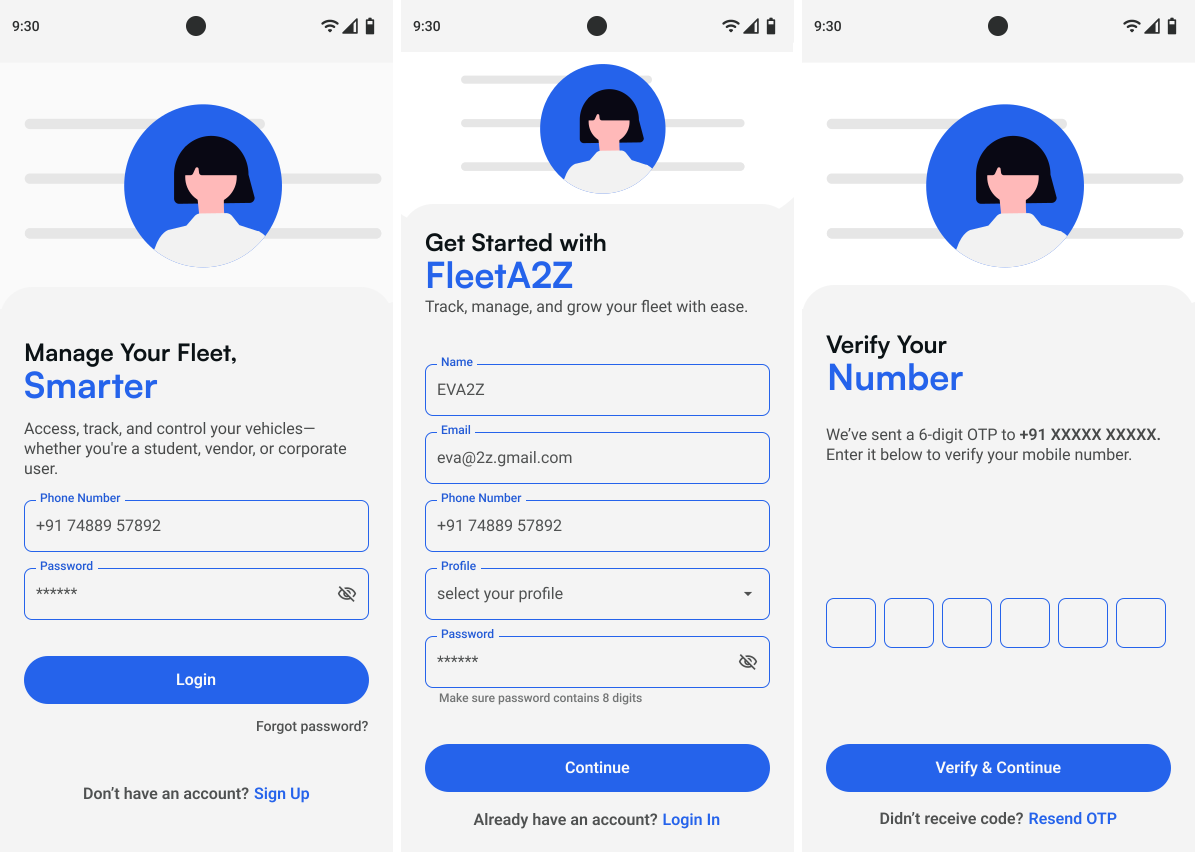
Authentication Flow
(Create Account · Login · OTP)
Refined authentication screens with consistent alignment, balanced spacing, and unified branding. Each step follows a clean, predictable structure to improve readability and reduce input effort.

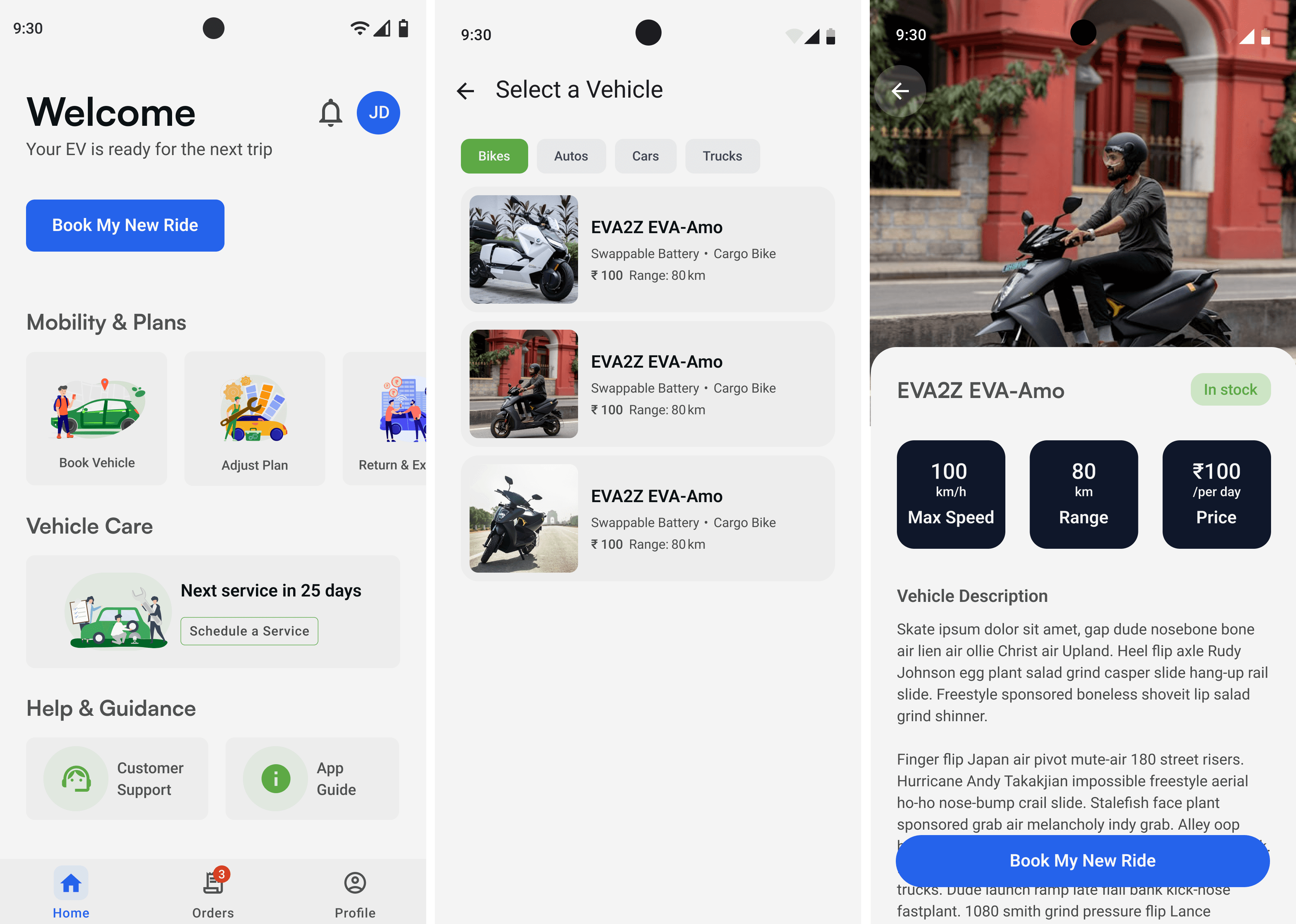
Home & Vehicle Booking
(Dashboard · Categories · Vehicle Selection)
Clear entry point with a prominent “Book My New Ride” CTA. Tasks are categorized into logical groups — Mobility & Plans, Vehicle Care, Help & Guidance — supported by a structured navigation bar. Vehicle selection now includes assist chips for quick filtering and visual clarity.
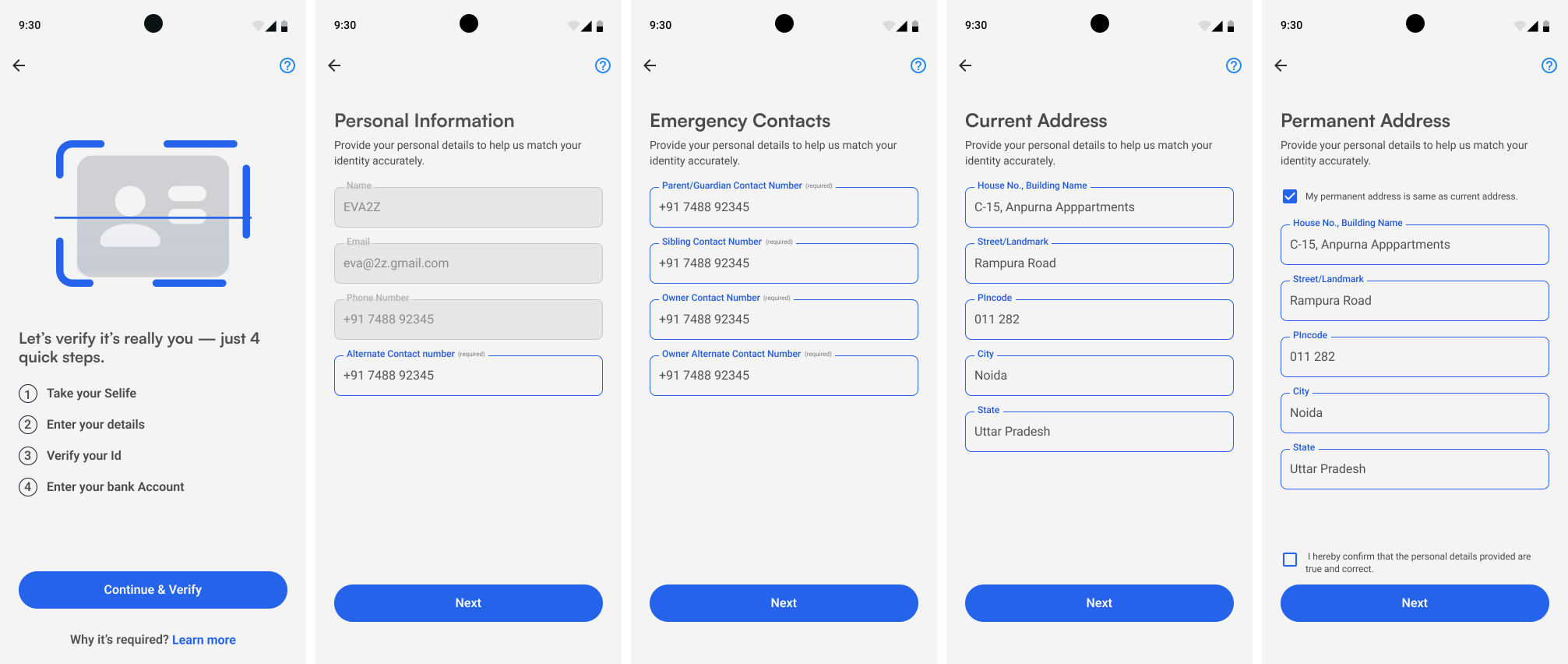
KYC Flow
(Multi-step verification screens)
The lengthy KYC process was restructured into four concise steps, replacing the single dense form. Inputs are grouped by category, improving focus and reducing cognitive load while maintaining visual consistency across all form states.
Summary
The redesign delivers a unified, accessible interface that simplifies navigation, clarifies actions, and scales effortlessly for future product growth.
Takeaways
This project strengthened my ability to connect visual design with usability principles. I learned how systematic thinking, clear hierarchy, and thoughtful spacing can transform complex workflows into simple, intuitive experiences.
It also reinforced that good design isn’t about decoration — it’s about creating clarity, consistency, and confidence for users.